FlowOS
A native iOS + macOS super-app that surfaces the shape of your day — briefings, anchors, saves, and captures on one adaptive canvas.
The problem
Productivity tools optimize for throughput — more tasks, done faster, tracked tighter. But a life lived across surfaces doesn’t fragment neatly into a task list. My morning brief lived in email, my priorities in Notion, my reading in X bookmarks, my stray thoughts on scraps of paper. Every morning I reassembled the day from five apps. And the things that matter most — health, relationships, creativity — never fit the throughput frame at all. I wanted one place that gathered the whole day and still felt native to the devices I actually use.
The approach
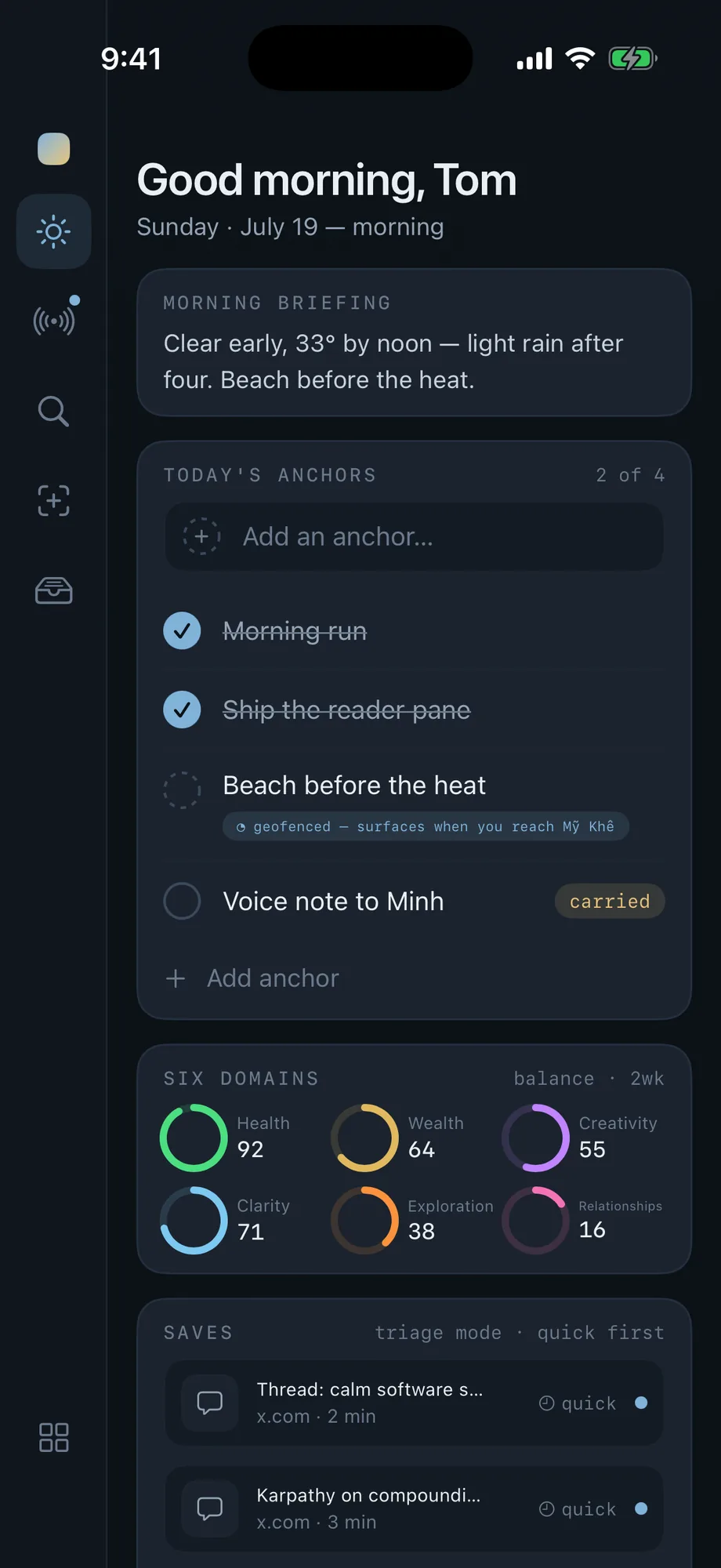
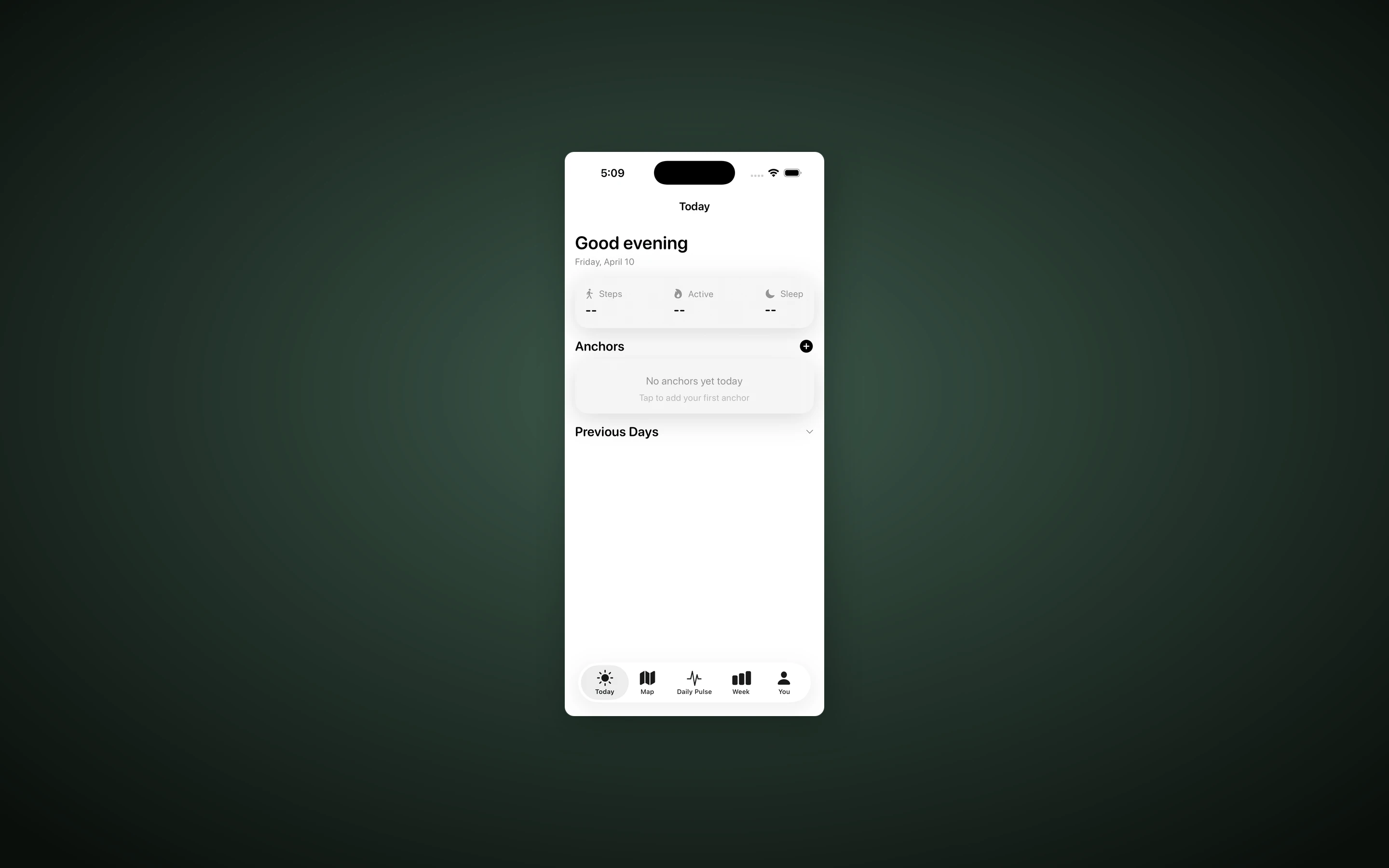
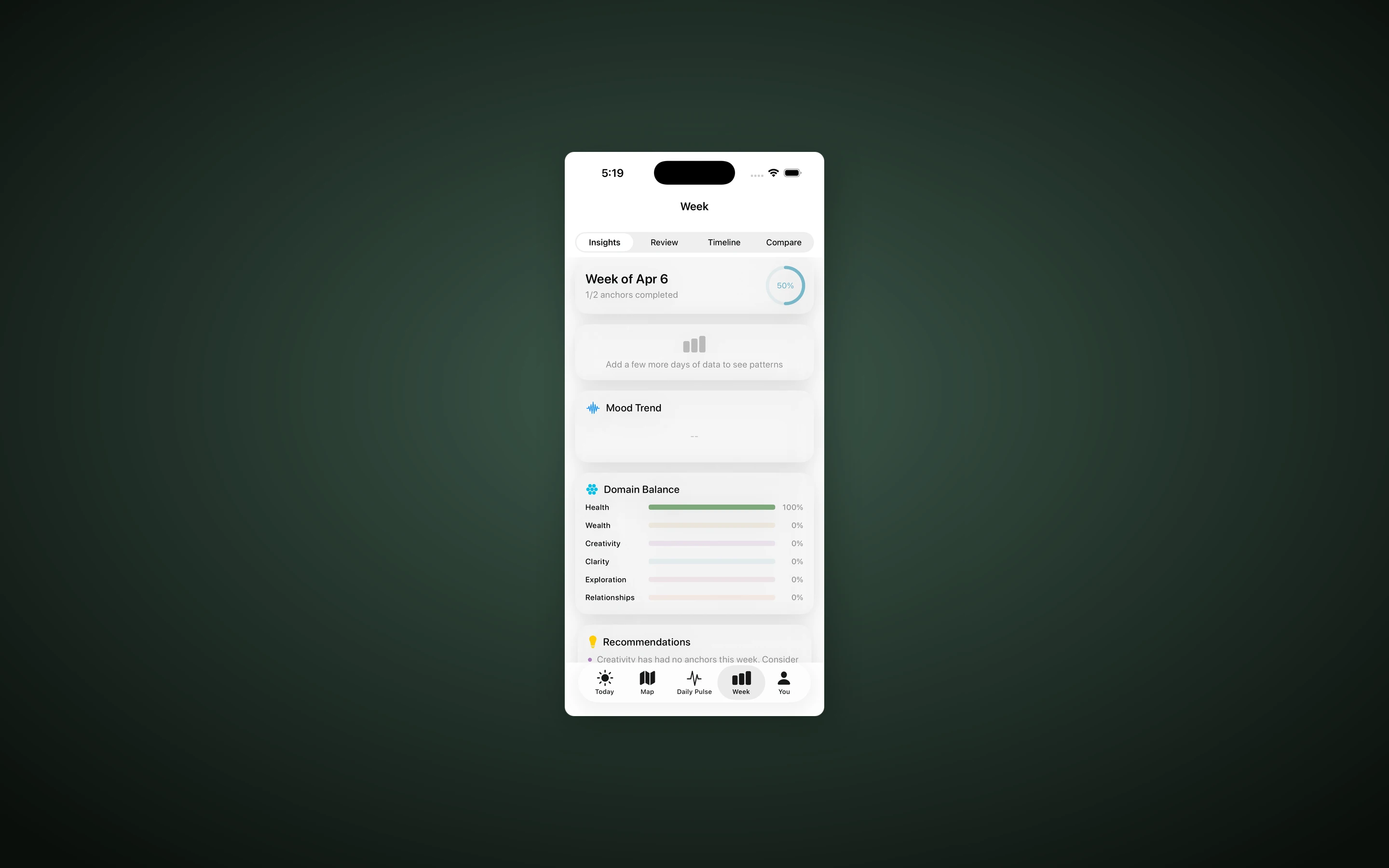
FlowOS v2 collapses the morning scramble into a single adaptive surface. Instead of a tab bar, it surfaces what’s relevant: the briefing when you wake, your anchors through the day, the evening signal at night. The briefings themselves are generated once — by a Python signal suite — and stored as Notion artifacts, so the app just reads and renders them natively. Crucially, you act from the briefing: checking an anchor writes straight back to Notion, a high-priority kanban task sits one tap inside the shape of your day, a saved article opens inline. The six domains — Health, Wealth, Creativity, Clarity, Exploration, Relationships — are still the spine, now drawn as recency-weighted rings that read as balance rather than a raw score.
How it works
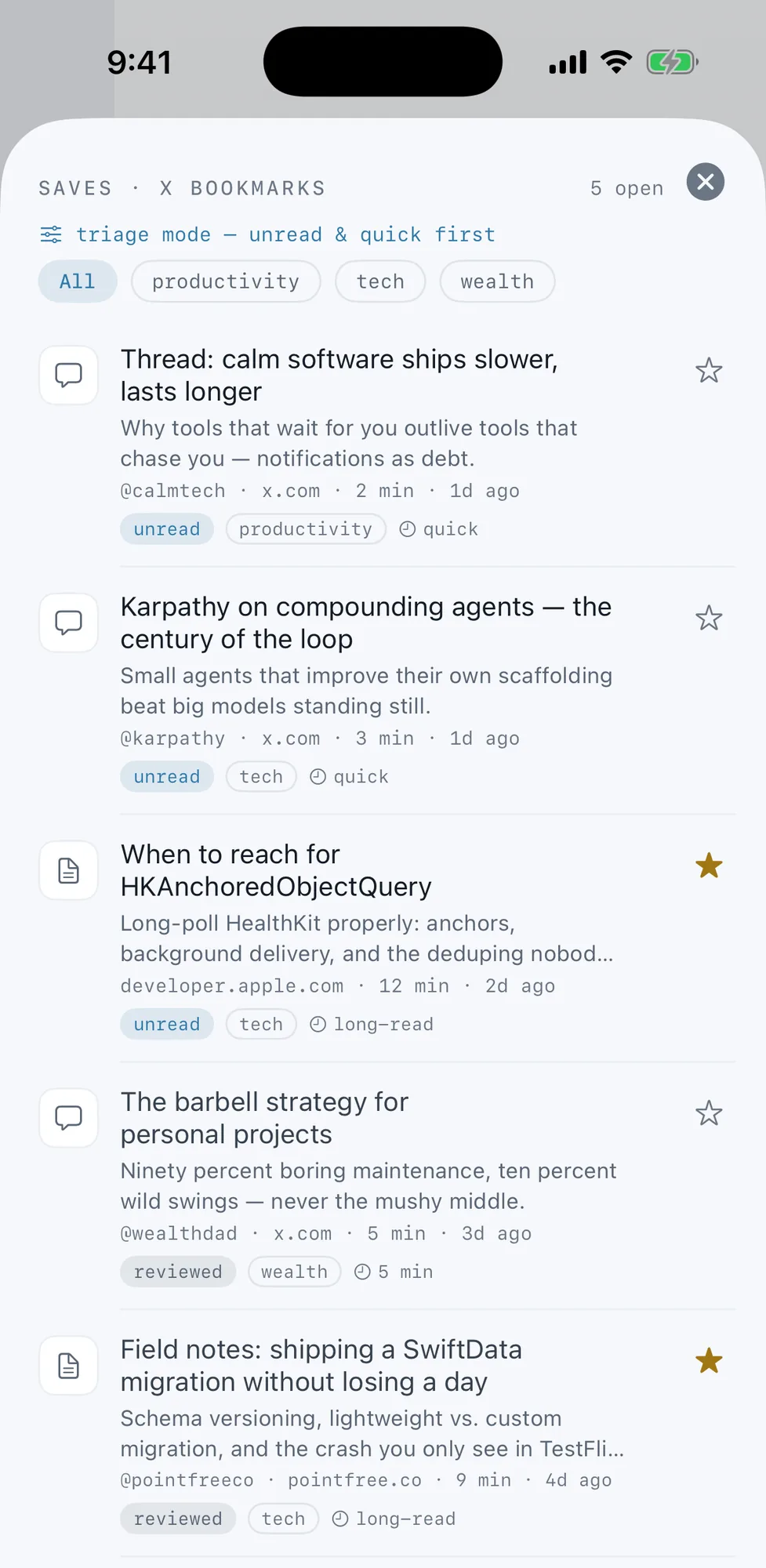
SwiftUI drives the interface across iPhone, iPad, and Mac from a shared codebase. On iPad and Mac the surface splits into two panes — the day’s column beside the briefing reader; on iPhone it folds into a single adaptive column with the briefing as a card. SwiftData holds the canonical anchor history on-device (CloudKit is intentionally off — cloudKitDatabase: .none), and a single NotionSyncService is the only sync mechanism — pulling on launch, pushing dirty anchors and pulse back to Notion. Dedicated services fetch the live surfaces through a Cloudflare Worker proxy: the morning and evening briefings, Saves (X bookmarks), and Captures. A PatternEngine computes the domain balance, and adaptive notifications pick their moment instead of firing on a fixed timer. XcodeGen generates the project from project.yml so the repo stays diff-friendly. Notion stays the source of truth for the wider ecosystem — the macOS Widgets, the Vi3 Signal email suite, and the legacy web companion all read the same databases.
Results
- One adaptive surface — briefings, anchors, domain rings, Saves, and Captures on a single canvas, no tab-hopping
- Morning + evening briefings read natively — generated once as Notion artifacts, then acted on in place
- Act from the briefing — check anchors → Notion, promote a kanban priority, open a save without leaving the page
- Saves + Captures — a read-later feed from X bookmarks and a quick-capture inbox that feeds the daily intake loop
- Native iPhone + iPad + macOS from one SwiftUI codebase, SwiftData on-device, Notion as the single sync backbone — on TestFlight at build 142
The point was never to do more. It’s to open one surface in the morning and see, clearly, the day you’re actually living — and who it’s shaping you into.