X Saves
A keyboard-first tool for clearing your X bookmark backlog.
The problem
X bookmarks pile up fast. The native interface offers no way to triage, categorize, or process them. Every bookmark sits in an undifferentiated list until you either act on it or forget it exists.
The approach
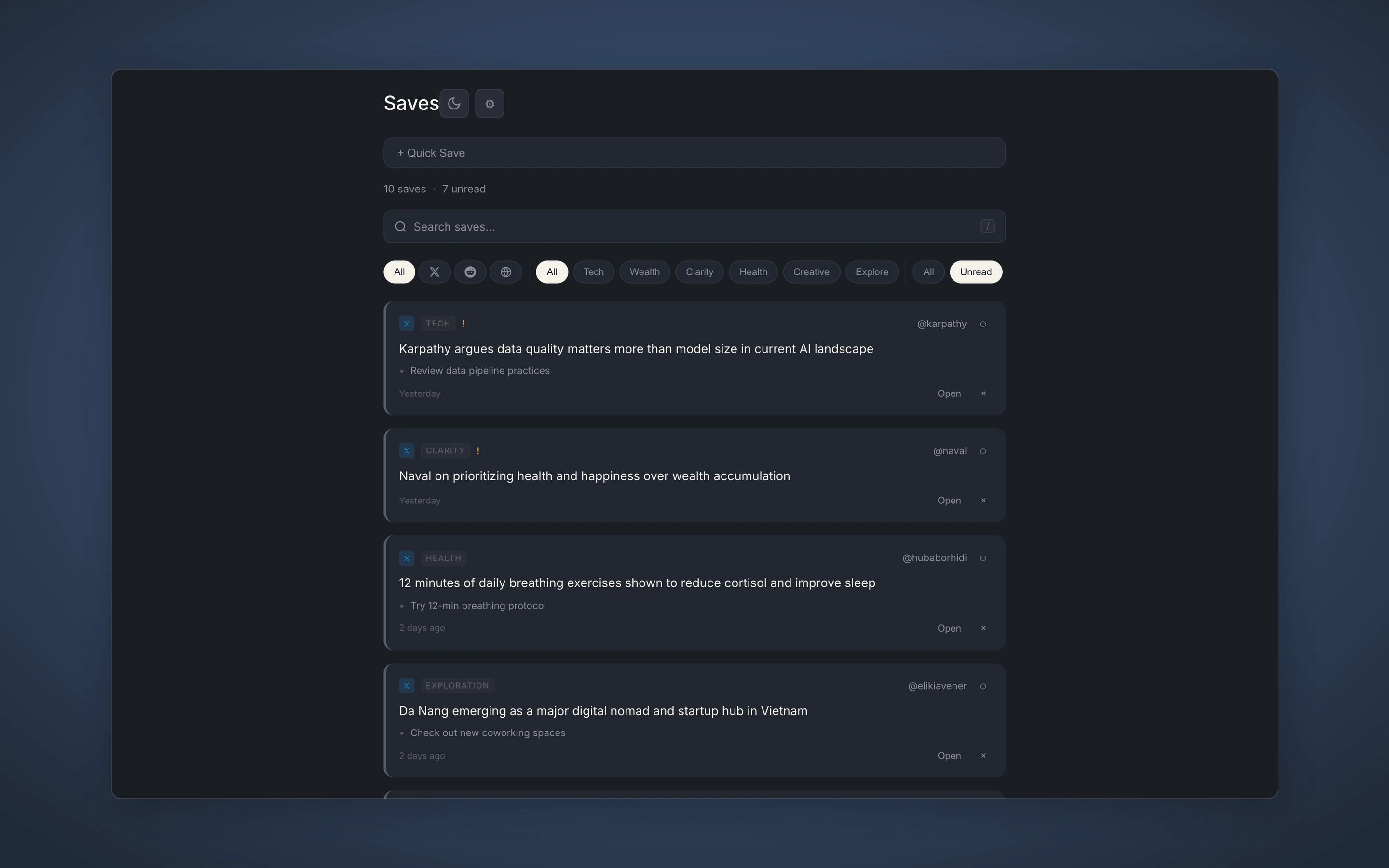
X Saves adds structure to the chaos. A Chrome extension scrapes bookmarks directly from X and imports them into Notion with deduplication. The standalone app then provides a keyboard-first triage interface — think email inbox, but for tweets.
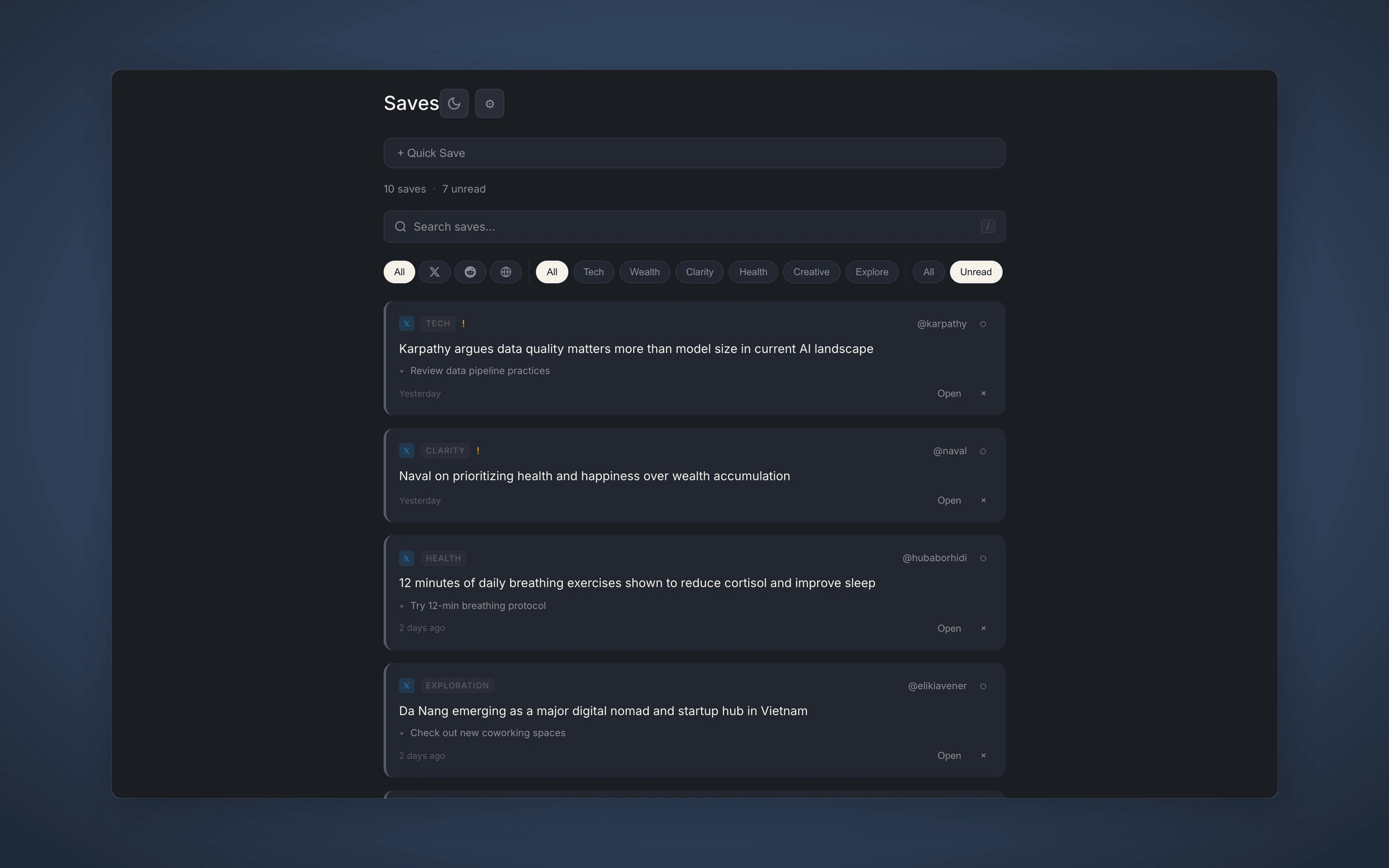
Review mode is the core interaction: swipe right to mark reviewed, swipe left to archive, tap to open. Keyboard shortcuts mirror the gestures — d for reviewed, a for archive, z to undo. You can burn through dozens of bookmarks in minutes.
How it works
A Notion proxy handles auth so the client never touches API tokens. Local storage provides a fast cache with merge-on-sync to avoid data loss. The Chrome extension handles scraping with scroll-based extraction and dedup checking before import.
Results
- 77% apply rate on processed bookmarks — unusually high because the triage workflow surfaces actionable content
- Keyboard-first design enables rapid processing — arrow keys to navigate, single keypress to categorize
- Full offline support via PWA with local storage — works without network connection